

Present email signup invitations and promotional popups during the storefront visit.
View on Shopify App Store ↗Create a BFCM Landing Page That Makes the Offer Easy to Understand
Build a Shopify BFCM landing page with clear eligibility, code instructions, deadlines, and a shopping route that matches the offer.
A shopper arrives from an ad promising a BFCM discount. The page says “Holiday Sale,” the product grid includes excluded accessories, and the discount code appears only near the footer. Each message might be technically correct, yet the shopper still has to work out what to buy and how the offer works.
Build your campaign page around the decision that visitor needs to make: which products qualify, what action unlocks the offer, and when the opportunity ends. Start with the approved promotion terms, then make the page and its destination agree.
Write the offer before arranging the page
Create a short promise block that a teammate can compare with the configured promotion. Include the eligible products, the benefit, whether a code is required, the end time with its time zone, and the main shopping action. Put material exclusions near that promise rather than relying on a distant policy link to explain them.
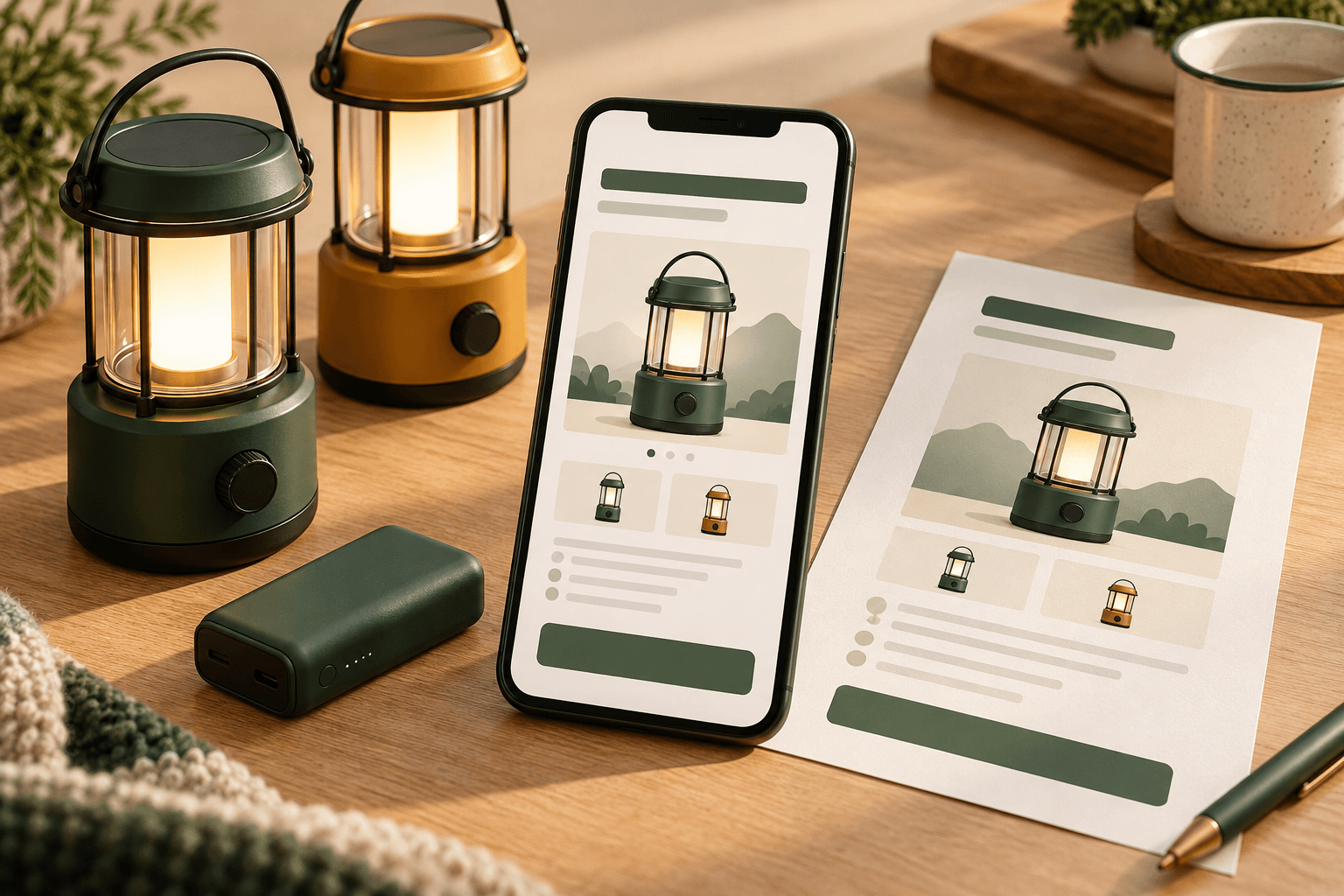
Consider this hypothetical camping store. Its approved offer is 15% off selected camping lanterns with GLOW15, from November 27 at 12:00 a.m. through November 30, 2026 at 11:59 p.m., Eastern Time. Battery packs are excluded. These are illustrative terms, not an offer from Eggflow or a recommendation for every store.
Its opening block could read: “Save 15% on selected camping lanterns. Use GLOW15 at checkout. Ends November 30 at 11:59 p.m. Eastern Time. Battery packs excluded.” A button labeled “Shop eligible lanterns” tells visitors what comes next. A shorter “Up to 15% off everything” headline would introduce a different promise and should fail the editorial review.
Check the configured start and end times, product eligibility, customer restrictions, and combination rules before approving any customer-facing wording. Use the BFCM offer calendar to keep campaign messages aligned across channels.
Choose a destination you can maintain
A campaign can use a Shopify page for explanation, a collection for shopping, or a page that links to a collection. Choose based on the amount of explanation needed and what your current theme actually supports. Do not assume a page automatically supplies a product grid or a particular purchase interaction.
Shopify documents how to create, preview, and control the visibility of pages. Navigation links are a separate step. Check both the intended visibility and every entry link before the campaign starts.
A Shopify collection displays a gallery of products, while its layout depends on the theme. Shopify is also rolling out a newer collections experience, so use the controls available in your own admin. Inspect actual collection membership; a campaign name alone does not establish discount eligibility.
For the illustrative lantern store, the primary button leads to a collection containing the selected lanterns. A battery pack can remain available elsewhere in the store, but should not appear under a heading that calls every item eligible. If an accessory is shown as an optional addition, label its exclusion where the shopper sees it.
Carry the promise through the shopping route
Review the route from the campaign link to the collection, a product and variant, and the cart. At each step, ask whether the same product, code requirement, and restrictions still make sense. Verify links by opening them, including any old campaign URL reused in an email or advertisement.
A September Shopify Community BFCM checklist discussion raised questions about campaign collection copy and older URLs. That discussion reflects merchant concerns; it does not establish a measured conversion improvement for any checklist.
Keep useful routes to shipping information, returns, and customer support. Give the offer a clear primary action while allowing shoppers to resolve questions that affect a purchase. For discount combinations, link your team's review to the BFCM discount stacking test matrix rather than attempting to explain every checkout rule in the headline.
Plan what the page says when conditions change
Write the replacement message before launch. Before activation, show the real start time without implying the discount already works. During the offer, keep eligibility and the deadline visible. After it ends, remove the active-offer claim and direct visitors to an appropriate current destination.
Assign an owner to update the page when eligible stock runs out. Publishing a campaign page does not reserve inventory, and editing its wording does not change the underlying discount configuration. Review both systems when availability or terms change.
If you use SmartPop – Pop Ups, Email, its promotional popups can repeat the approved offer message. Its listing describes popups for discounts and product promotion. Treat it as a messaging surface: it is not the Shopify landing-page builder or proof that a discount was created correctly. Check its copy and destination alongside the page whenever the campaign changes.
Run a visitor review before launch
Give a teammate the campaign link on a phone without explaining the offer first. Ask them to identify the eligible products, required code, exclusions, and exact deadline, then follow the shopping route. Record any answer they cannot find and fix the corresponding message or destination.
Finish by testing the configured offer with eligible and excluded items. Save a preview of the approved page and record who will replace it at the end of the campaign. This is a practical clarity review, not a conversion benchmark. Its value is that the published promise can be checked against the experience a customer actually encounters.
Apps in this guide
Keep exploring
All stories ↗
Grow Your Business
Shopify Discount Stacking for BFCM: A Practical Test Matrix
Test Shopify BFCM discount combinations with six reproducible cases, an illustrative lamp basket and separate checks for product, order and shipping savings.

Grow Your Business
How to Choose BFCM Products Using Inventory and Margin
Build a BFCM product shortlist using sellable stock, campaign allocations and realistic order costs, with an illustrative tote-and-pouch comparison.

Grow Your Business
Build a BFCM Offer Calendar Without Confusing Your Customers
Plan BFCM offer handoffs with a practical calendar, clear customer messages and checks for discount timing and eligibility.