

Promote products through a reciprocal exchange with participating Shopify stores.
View on Shopify App Store ↗Introduce your Shopify products with Eggflow Instant Traffic
Introduce your products to shoppers browsing partner stores, then evaluate whether the visits fit your business.
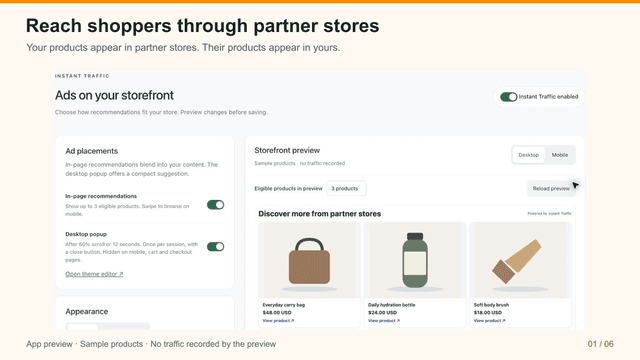
A new product page can explain your offer beautifully and still receive very little attention. For Shopify merchants looking for another route to product discovery, Eggflow Instant Traffic provides a way to put products in front of shoppers beyond their own storefront.
The useful starting question is which products you want people to discover and what they should do after arriving. This guide introduces the app and suggests a practical first campaign.
How the product exchange works
Instant Traffic uses a reciprocal advertising network: your products appear in participating stores, and partner products appear in yours. The Shopify listing describes product selection, customizable recommendation cards, country and device targeting, and reports for impressions, visitors and click-through rate. Access and limits depend on the plan. See the official Instant Traffic listing.
Because the exchange displays partner products on your storefront, review how those placements fit your shopping experience. Availability and targeting affect traffic; a visit does not guarantee an order.
Free manual selection and Auto Ads
On the Free plan, manually select up to 10 products to promote. Start with products that have clear photos, specific names and useful landing pages, then review which visits are relevant to your store.
Paid plans include Auto Ads to keep eligible products in sync automatically, along with country and device targeting. Choose manual selection when you want to control a small product set; consider Auto Ads when your eligible catalog changes regularly. Automation does not guarantee more visits or orders.
These plan details were checked on 15 October 2026. Review the current Shopify listing before choosing a plan, because features and limits can change.
Plan a focused first campaign
We recommend beginning with products whose benefit is easy to communicate in a small card. A clear image and specific product name give a shopper something concrete to evaluate before clicking.
Before activating a campaign, check that the destination page answers basic purchase questions: what is included, who the product suits, how much it costs, and when it can arrive. A campaign cannot resolve an unclear shipping promise or a confusing product description.
As an illustrative example, a home accessories store could promote one distinctive desk organizer rather than its entire catalog. Its landing page could show dimensions, materials and a photograph of the organizer in use. This is a proposed campaign approach, not a reported merchant result.
Evaluate the visits that matter
Start with the app's exposure and traffic reports, then use your store analytics to investigate what arriving shoppers do. Look for product engagement, add-to-cart activity and completed purchases where your tracking supports those observations.
Compare traffic sources over a suitable period and keep a record of other promotions running at the same time. If visits rise while purchases stay flat, investigate audience fit, product information and checkout friction before increasing your commitment. Avoid attributing every new order to the app simply because it happened after installation.
Connect discovery with the next customer action
Our suggested next step depends on what visitors need. If shoppers want updates before buying, read our Smart Popup introduction for a focused signup offer. If you are planning a participation campaign around your brand, explore Instant Giveaway. When shoppers are already considering a purchase, Instant Upsell introduces another way to make a relevant promotion visible.
These are campaign ideas for using the apps alongside one another. Plan and verify each setup separately; this guide does not establish automatic data sharing between them.
Start with a product worth discovering
Choose one clear offer, prepare its product page and decide how you will judge the incoming visits. Keep the exchange only if it supports the experience and economics you want for your store.
Explore Instant Traffic on Shopify to review its current features, plans, permissions and support before installation.
Apps in this guide
Keep exploring
All stories ↗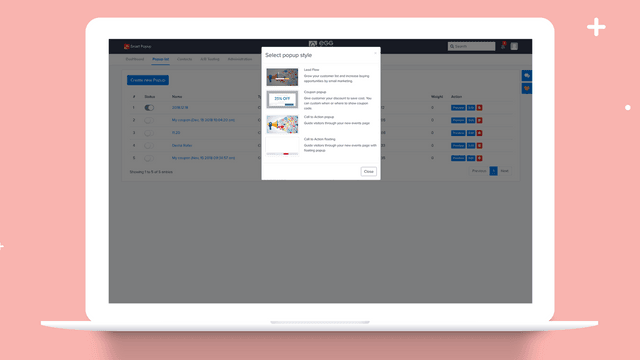
Shopify Apps Reviews
Capture Shopify email signups with Eggflow Smart Popup
Give interested visitors a clear reason to subscribe and make your popup fit the shopping experience.
Shopify Apps Reviews
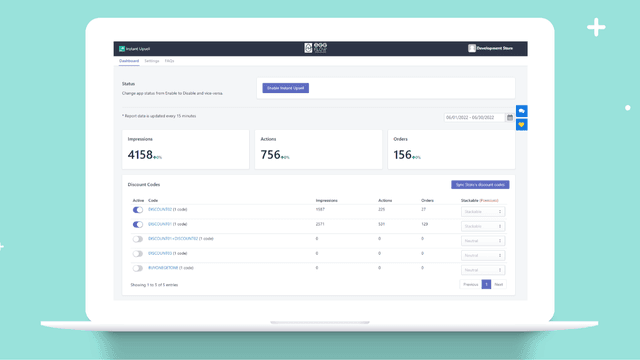
Present Shopify coupon offers with Eggflow Instant Upsell
Make a relevant discount offer visible while customers browse your products, then assess its effect on order economics.
Shopify Apps Reviews
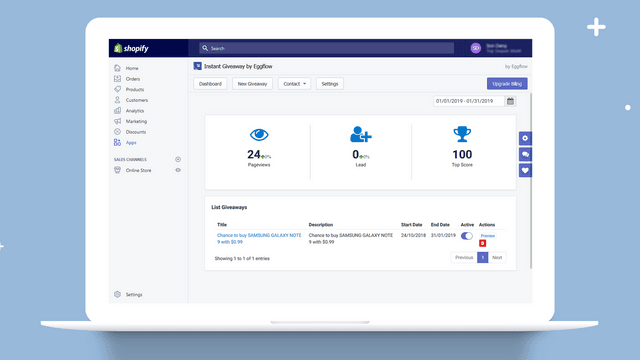
Build a Shopify audience campaign with Eggflow Instant Giveaway
Build a giveaway around the audience you want to reach and give participants a reason to remember your store.