

Present email signup invitations and promotional popups during the storefront visit.
View on Shopify App Store ↗Capture Shopify email signups with Eggflow Smart Popup
Give interested visitors a clear reason to subscribe and make your popup fit the shopping experience.
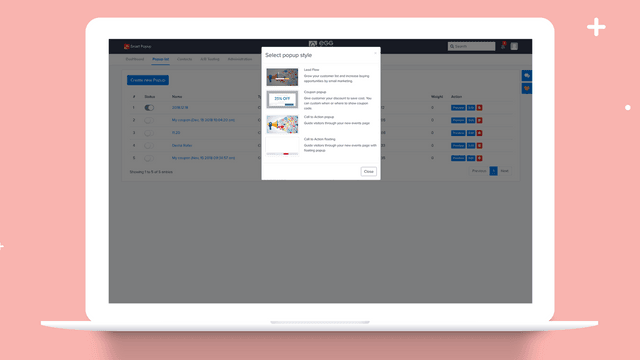
Some visitors are interested in your products but need more time before buying. A useful signup offer gives them a way to stay connected and gives your store a chance to continue the conversation.
Eggflow Smart Popup helps merchants present that invitation on their storefront. Start by deciding what subscribers will receive and why that promise matters to the people you want to reach.
What Smart Popup offers
The Shopify listing uses the name Smart Pop ‑ Pop Ups, Email. It describes popups for email collection, discount offers and product promotion, with triggers based on exit intent, time on site or scrolling. The listing also describes A/B testing and connections with tools including Mailchimp, HubSpot and Sendy. Check your selected plan and integration setup for availability.See Smart Pop on Shopify.
Begin with one subscriber promise
We recommend starting with one reason to subscribe. That might be a useful product guide, information about an upcoming collection or a genuine welcome offer. Choose a benefit you can deliver consistently.
For example, a skincare accessories store could invite visitors to receive a guide to organizing their routine. This is an illustrative campaign suggestion. The promise should describe what arrives in the inbox, and the store should prepare that content before asking for signups.
Keep the copy concrete. “Get our storage guide and occasional product updates” tells a visitor more than an unexplained request to join a list. If you offer a discount, state the actual conditions and make the follow-up match the promise.
Fit the invitation into the shopping journey
Choose a supported trigger that makes sense for the page, then preview the experience. Our recommendation is to let shoppers understand the product before interrupting them with an invitation.
Check that the message is readable on mobile, the form works and the close control is easy to use. Review other banners and popups active on the same page. Several offers competing for attention can make a simple store visit feel unnecessarily complicated.
Test the subscription and delivery path with your chosen email tool. Confirm that the contact arrives as expected and receives the promised message. Installing a popup is only one part of that workflow.
Run a focused copy test
Where your plan supports testing, compare two messages that differ in one meaningful way, such as the headline. Keep the underlying offer consistent so you can interpret what you learn.
We suggest tracking signups relative to popup exposure and reviewing the quality of subsequent engagement. Do not judge success solely by the largest contact count. A smaller group that understands the promise may be more useful than a list collected through an unclear incentive.
Choose companion apps by purpose
If you need another channel for product discovery, read ourInstant Traffic introduction. For an event that invites participation around your brand, exploreInstant Giveaway. If the shopper's immediate need is a relevant purchase offer, seeInstant Upselland avoid presenting multiple conflicting promotions.
These are our suggested campaign combinations, not evidence of automatic synchronization between apps. Verify the behavior of each tool in your store.
Explore Smart Pop on Shopifyto review current plans, permissions and support, then launch one invitation you can deliver well.
Apps in this guide
Keep exploring
All stories ↗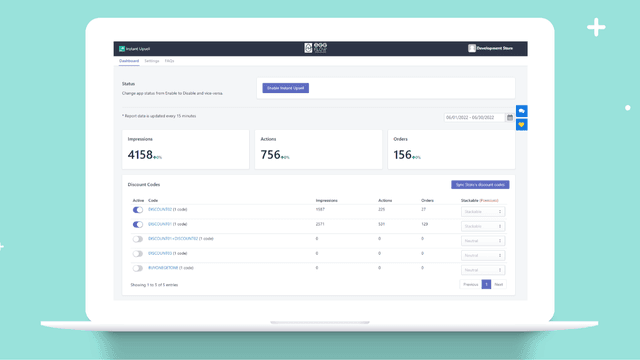
Shopify Apps Reviews
Present Shopify coupon offers with Eggflow Instant Upsell
Make a relevant discount offer visible while customers browse your products, then assess its effect on order economics.
Shopify Apps Reviews
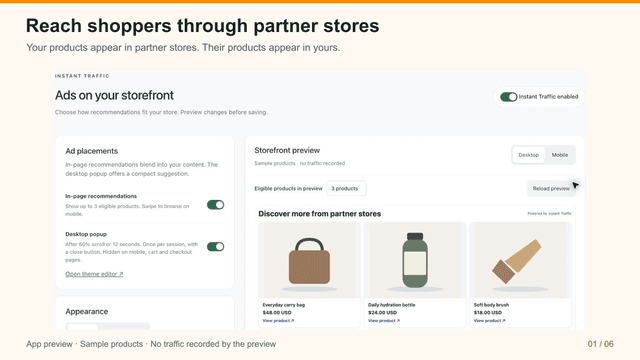
Introduce your Shopify products with Eggflow Instant Traffic
Introduce your products to shoppers browsing partner stores, then evaluate whether the visits fit your business.
Shopify Apps Reviews
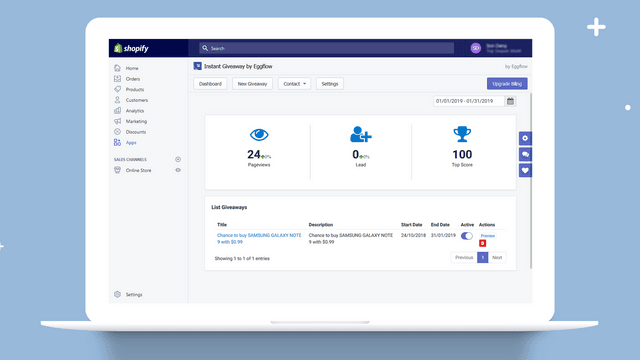
Build a Shopify audience campaign with Eggflow Instant Giveaway
Build a giveaway around the audience you want to reach and give participants a reason to remember your store.