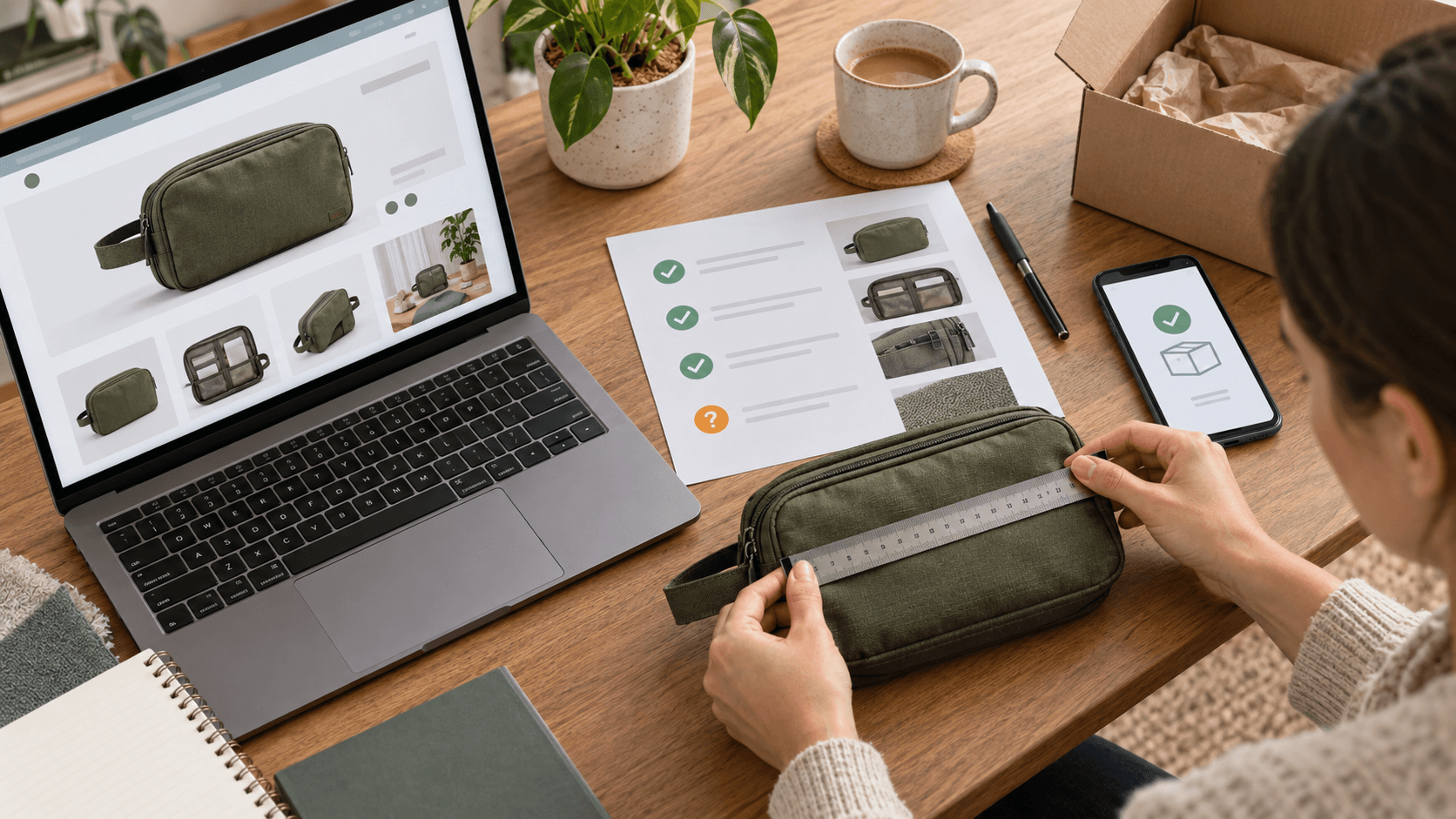
An AI dropshipping store builder can turn a short brief into a convincing storefront. The harder question comes at handoff: which parts are complete, which claims have evidence, and which tasks still belong to you? Before spending on traffic, ask the builder to demonstrate the store against a written acceptance record.
A September 6–8, 2026 Shopify Community discussion illustrates the expectation gap. One merchant said they had expected a completed store and 20 top-selling products, but felt the store was unfinished. That is one merchant’s account, not a verified finding about a provider or a failure rate. It suggests a useful question: what did “complete” mean before the work began?
Shopify Community: a merchant’s store-handoff question
This guide is for reviewing a generated store or a store delivered by a service. It provides an acceptance ledger, a product-claim example, and a cost check. Documentation was checked on October 6, 2026; availability and interfaces can change.
1. Define the deliverable before accepting the store
Ask for a manifest that names the theme, products and variants, pages, integrations, and unfinished work. Attach observable evidence to each item. A screenshot proves that a screen exists; it does not establish that the correct supplier product is connected or that an order can be fulfilled.
- Scope: does the package deliver a theme, imported products, edited content, supplier connections, or ongoing operations? Record each separately.
- Product count: clarify whether the count means distinct products, variants, or generated draft listings. Request the exact list and supplier references.
- Control: confirm that you can access your own admin and maintain the delivered store through your authorized account.
- Costs: list one-time setup charges, recurring app charges, theme requirements, usage limits, and the dates any trials end.
- Support: name the person responsible for corrections, the support period, and the procedure for reporting a failed acceptance check.
For every item, write five fields: promised result, proof required, person responsible, observed result, and decision. Use “accepted,” “needs correction,” or “not included.” Leaving a task outside the package is manageable when somebody explicitly owns it.
2. Check the exact AI capability, plan, and device
A label such as “AI store builder” can cover several different jobs. Shopify’s current documentation describes Sidekick as an assistant that can generate content and help with store tasks. Shopify also documents AI theme generation. Those documented functions do not establish that a separate third-party service performs the same tasks or supplies tested products.
Shopify: AI-powered tools and Sidekick
There is a practical detail to verify before following an old tutorial: Shopify currently says new personalized themes for an existing store are generated through its app or a mobile browser, rather than the desktop admin. Its guidance also specifies eligibility for English storefronts during the trial or on Basic, Grow, or Advanced, and excludes Starter. Previously generated themes remain accessible on desktop.
Shopify: current theme-generation requirements
For any other builder, check its own current documentation and the package you actually purchased. Ask for a demonstration of the promised action in your store. Keep product import, content generation, inventory updates, order submission, and tracking updates as separate acceptance items. A demonstration of one does not prove the others.
3. Build a claim ledger for one representative product
Generated copy deserves a factual review before a style review. Shopify warns that generated theme content can include inaccurate benefits, specifications, or guarantees, and makes the merchant responsible for accuracy. Supply verified product facts to the tool and review the resulting promises.
Shopify: reviewing generated theme content
Consider this hypothetical travel-organizer listing. The builder delivers attractive photos and copy describing a waterproof, recycled-fabric pouch with room for a large tablet. Your supplier sheet gives dimensions and a fabric name, but provides no waterproof test, recycled-content evidence, or tablet-fit measurement. That listing has three unresolved claims even if its grammar is excellent.
- Dimensions: compare the supplier specification with a measured sample, including the usable opening and interior space.
- Material: retain the supplier’s documented composition. Remove recycled-content wording until you have appropriate evidence.
- Protection: remove “waterproof” until the exact item has evidence supporting that promise. Do not substitute another protective claim just because it sounds weaker.
- Fit: measure the intended object against the usable compartment, or demonstrate fit with the actual sample. Avoid guessing from an image.
- Images: inspect color, zipper placement, pockets, and included accessories. An edited background should not invent a feature or hide a relevant limitation.
The acceptance decision is specific: correct the unsupported copy, replace misleading images, and approve only the verified version. If evidence arrives later, review that new evidence before restoring a claim. This ledger is especially useful when multiple listings were generated from a single prompt.
4. Validate the supplier behind the imported listing
Shopify recommends ordering from prospective suppliers to assess their products and order process. A sample can reveal packing, dispatch communication, tracking, and the condition of the received item. It complements the listing review; an imported catalog entry alone cannot show those things.
Shopify: choosing and assessing suppliers
Connect your sample record to the exact supplier item and variant used in the store. Save the order date, dispatch date, arrival date, destination, packaging photos, and any mismatch. Ask how you will learn about discontinued variants, changed materials, and unavailable stock. Identify who handles a damaged item and where the customer must send a return.
Treat one successful sample as one observation. Use it to challenge an implausible generated delivery promise, while allowing for processing time, destination differences, and supplier variability. If delivery evidence is incomplete, resolve the uncertainty before promoting a precise arrival date.
5. Check the economics the builder’s price leaves out
A generated selling price needs your cost review. The following USD example is hypothetical, independently calculated for this article, and is not a forecast or a merchant result. Assume a $38 selling price, $14 product cost, $6 supplier shipping, $1.60 payment cost, and a $2 allowance for after-sales costs. Contribution before acquisition and fixed costs is $14.40.
If the shipping method needed for your promise costs $9, that contribution falls to $11.40. With an assumed $10 acquisition cost, only $1.40 remains before fixed costs. Suppose the delivered store also requires $60 in monthly tools: allocating that amount across a hypothetical 20 orders adds $3 per order, leaving −$1.60 under those assumptions.
Replace every figure with your own quotes and fee schedule. The $3 allocation changes with order count, and the allowance is not a prediction of returns. The acceptance question is whether you can support the advertised price and delivery method after including the store’s recurring commitments. A builder’s product recommendation provides no evidence that customers will buy at that price.
6. Request a live handoff demonstration
Ask the builder to show one ordinary customer journey: find the product from the menu, select the intended variant, read delivery and return information, and reach checkout. Repeat on a phone. Watch whether product images, variant names, and basket contents remain consistent. Use your support contact link as a customer would and confirm where the message arrives.
Then use an appropriate controlled order test. Shopify documents test orders for checking checkout and order-related settings; simulated payments do not prove supplier shipment. If using a real transaction, agree in advance how charges, supplier processing, cancellation, and any refund will be handled. Restore the intended payment configuration before taking customer orders.
Shopify: placing test orders
At handoff, ask to see the order record and the agreed fulfillment route. If the supplier step is manual, have the operator demonstrate it. If an app is supposed to submit the order, verify receipt in the destination system. Record the remaining tracking and customer-service responsibilities.
For a broader checkout and fulfillment rehearsal, use Eggflow’s existing BFCM guide. Keep this acceptance review focused on what the builder has delivered and what you can operate yourself.
Related: the BFCM store stress test
7. Make the launch decision from the unresolved work
- Accept a listing only when its key claims, images, variants, and supplier references agree.
- Return incomplete deliverables to the named owner with the observed failure and the required correction.
- Keep products with unsupported claims or an unworkable delivery promise out of the initial launch.
- Confirm recurring costs and an operating owner for fulfillment, support, and changes after handoff.
- Save the accepted version and the evidence, so later AI edits can be reviewed against the same facts.
Before opening the store, review Shopify’s current launch guidance, including payment testing and disabling test mode when testing is finished. Completing a builder’s handoff does not automatically complete every platform launch requirement.
Shopify: preparing a store for launch
An AI-built store becomes useful when you can explain its product promises, operate its order process, and afford its commitments. Start with the listings that pass your review. Keep the acceptance ledger as your source of truth whenever a tool generates new content or a provider changes the store.