Get free visits by joining traffic exchange with Instant Traffic
“Free traffic” has always been one of the most searched keywords regarding selling online. As a marketer, you should know this: Despite making up the core value of your marketing campaigns, content…
“Free traffic” has always been one of the most searched keywords regarding selling online. As a marketer, you should know this: Despite making up the core value of your marketing campaigns, content marketing takes too much time to actually generate traffic. With a limited amount of money and in a limited period of time, marketers are under the pressure of seeking quicker ways to drive traffic to Shopify stores. Today in this blog post, let’s learn about a new app to get free visits by joining traffic exchange – Instant Traffic.
By displaying your product in other stores, Instant Traffic can drive traffic to your Shopify store without much effort.
How to drive traffic to your Shopify store with Instant Traffic?
Display your products in other Shopify stores
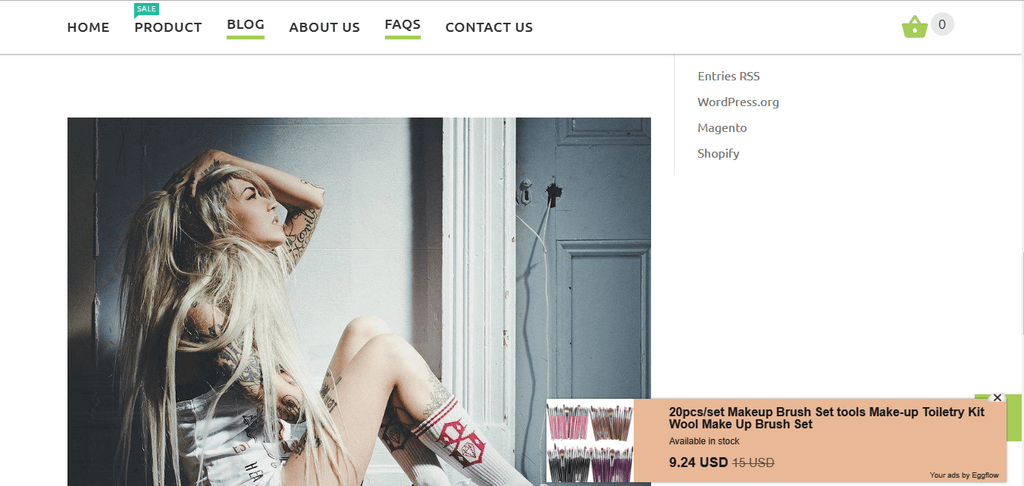
Instant Traffic allows users to display their products in other stores. Products are displayed as notifications at the right corner of the screen when store visitors view products. This sounds somehow familiar to products recommendation. But the biggest difference and also the biggest advantage is that your products are being recommended by many other stores.
You get free traffic exchange with other Shopify stores – a largetraffic exchange networks.
How to get free visits by joining Shopify exchange traffic with Instant Traffic – How to drive traffic to your Shopify Store?
Display partners products in your store
In exchange for displaying your products in partner stores, you display your partners’ products in your store as a way of paying for your ads. That’s what makes Instant Traffic a cost-effective way of advertising: You don’t have to pay extra money to get more traffic.
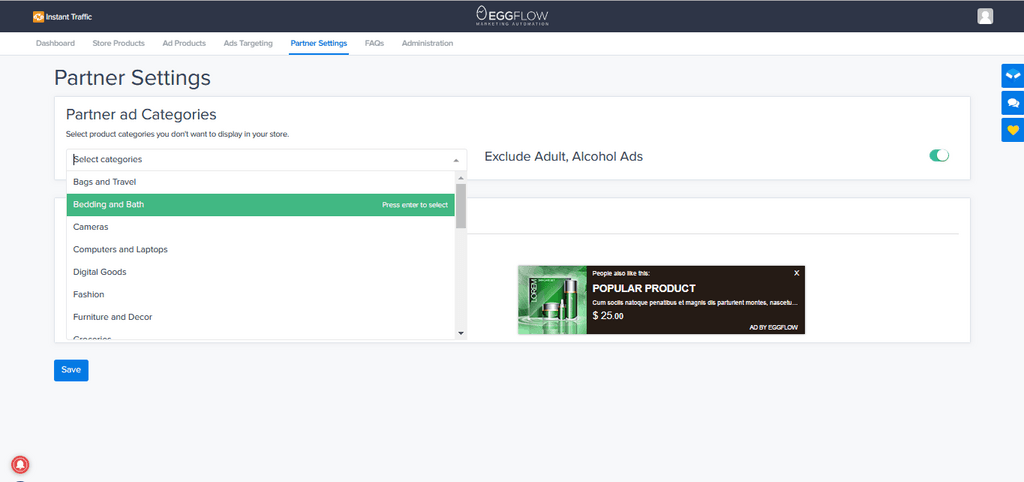
Select products to block ads display from your store
You have full control of which products you don’t want to be displayed in your store. Just select the product category and exclude it from your display ads list.
Select products to block ads display from your store – How to drive traffic to your Shopify Store?
Edit partners’ ads
Except for the product details, whatever is being displayed in your store, you are allowed to edit it. Along with product categories, you can edit text color and background color of the partner ads.
Limit your audience by countries and by devices
Instant Traffic provides you with tools to niche down and display your ads only to people from your target market.
Limit ads audience by countries: People from blocked countries are not able to see your ads.
Limit ads audience by devices: People using specific devices are not able to see your ads.
How do I get charged?
Users are FREE to display a limited number of products. You can test to see if the app works for free before paying to actually boost other products.
You don’t have to pay for the increase of traffic to your store, the monthly fee for the maintenance of the app is just equivalent to Facebook’s one day budget.
Displaying ads is just the first step to drive traffic to your Shopify store. Driving traffic to your Shopify store is the story about displaying ads and optimizing the click-through rate for your ads. Take a look at the tips to increase your CTR and see how many things have you done to boost your store traffic.
Your product
Seems old-fashioned but the nature of the products still deserves to be the first thing to mention when it comes to click-through rate. A good product being delivered to the right people makes up the core value of your whole marketing campaigns and your ads performance.
Compelling picture
A picture is the first thing to catch customers’ attention when seeing your ads. Make sure your picture is high enough in resolution and eye-catching in color and design. Also, remember to pay attention to the color of the ads’ text and background, you’ll see that a small change can do a lot.
Fact: Bright and warm colors have proven to be the most attention-grabbing colors that you may want to try first.
“Compare at price” badge
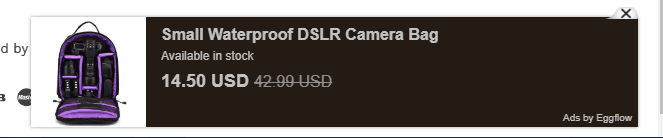
Instant Traffic allows users to simply input the original and discounted price to create a “compare at price” badge. A slight change in price compared to your usual price can bring about a strong effect on the CTR of your ads.
How to drive traffic to your Shopify store with Instant Traffic? – “Compare At Price” Badge
Coupons
Coupons work almost the same way as a discount, except for one thing: People can apply the code to any product in your store. That’s what makes coupons more compelling.
Tip: Always keep an eye on products with low-profit margin to avoid loss.
Brief Description
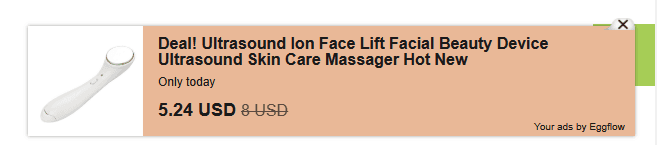
With Instant Traffic, the default settings of an ad allow users to display the product’s stock availability. However, you can take advantage of this brief description to create a sense of urgency for your products.
Get free visits by joining traffic exchange with Instant Traffic – Brief Description
A discount paired with an “Only today” message would be a great idea. Your customers may regret to miss out on this.
Sounds great, right? If someone offers to boost your store traffic FOR FREE, there’s no reason you should decline it.
Just take a look at the apps to see that driving traffic to your store is not always a struggle.
Plan a gift store that assembles kits in-house and dropships standalone items: component stock, fulfillment locations, two-parcel costs, delivery messages and returns.
Choose a supported TikTok Shop–Printify route, understand Shopify’s role, and verify variants, warehouses, shipping mode, orders, and tracking with a small pilot.
Review an AI-built dropshipping store with a handoff ledger, verified product claims, supplier evidence, realistic costs, and a controlled order demonstration.